Deposit From Arbitrum or Hyperliquid
To fund your Based card from Arbitrum, open Deposit in the Cards tab, pick Arbitrum as the network, and send USDC or ETH to the address shown. Once it lands, you can spend it anywhere the card works. If your funds are on Hyperliquid, withdraw them to Arbitrum first and deposit from there. New to USDC? What is USDC covers the basics.
Coming from Hyperliquid
Direct deposits from Hyperliquid Core are open for alpha testing on the mobile app only. For most people, withdrawing to Arbitrum and depositing from there is still the easiest way to move funds from Hyperliquid onto the card.
Depositing from Arbitrum
- Navigate to the Cards tab and click on Deposit.
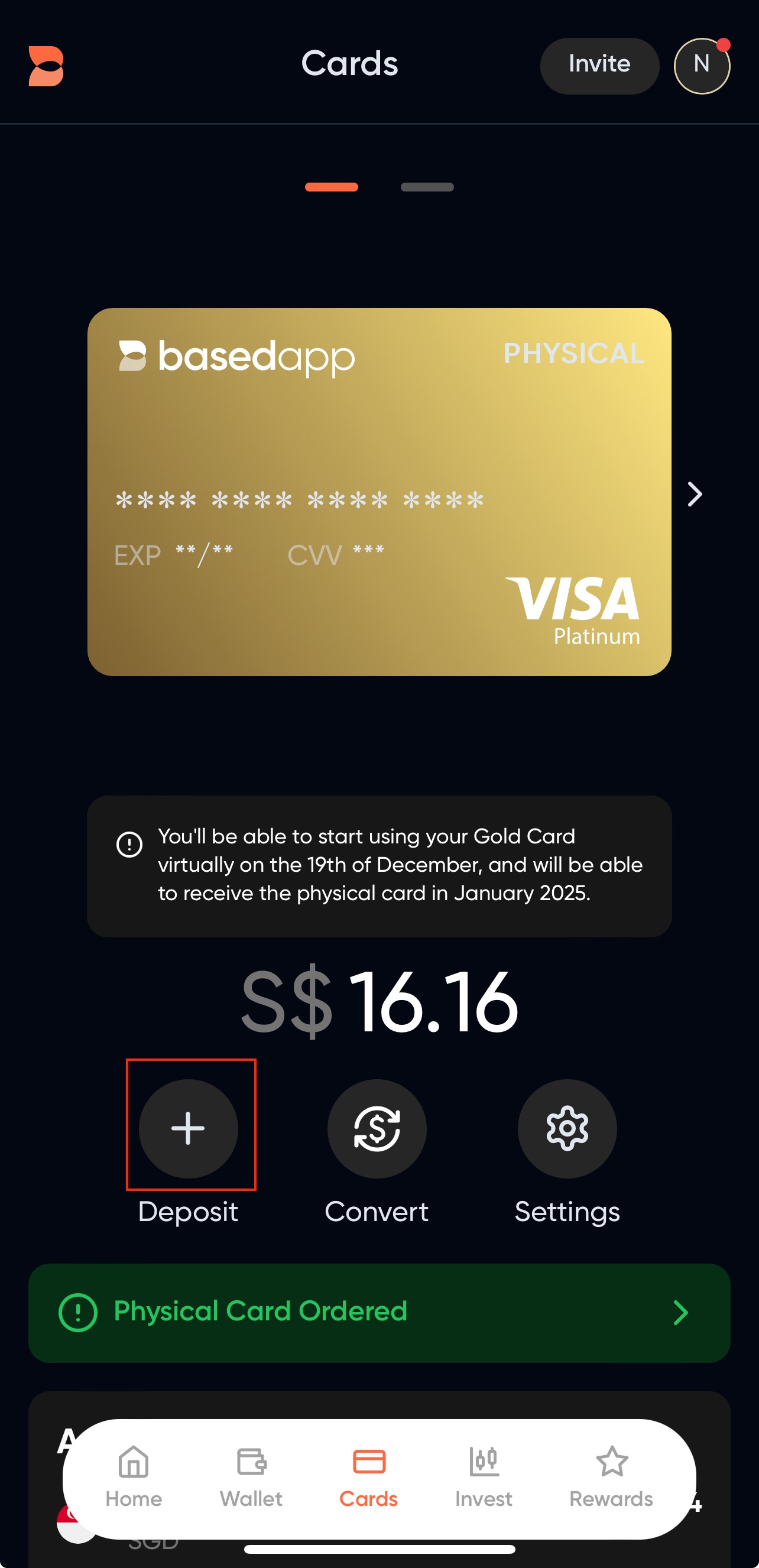
- On the Deposit Modal, select your funding source.
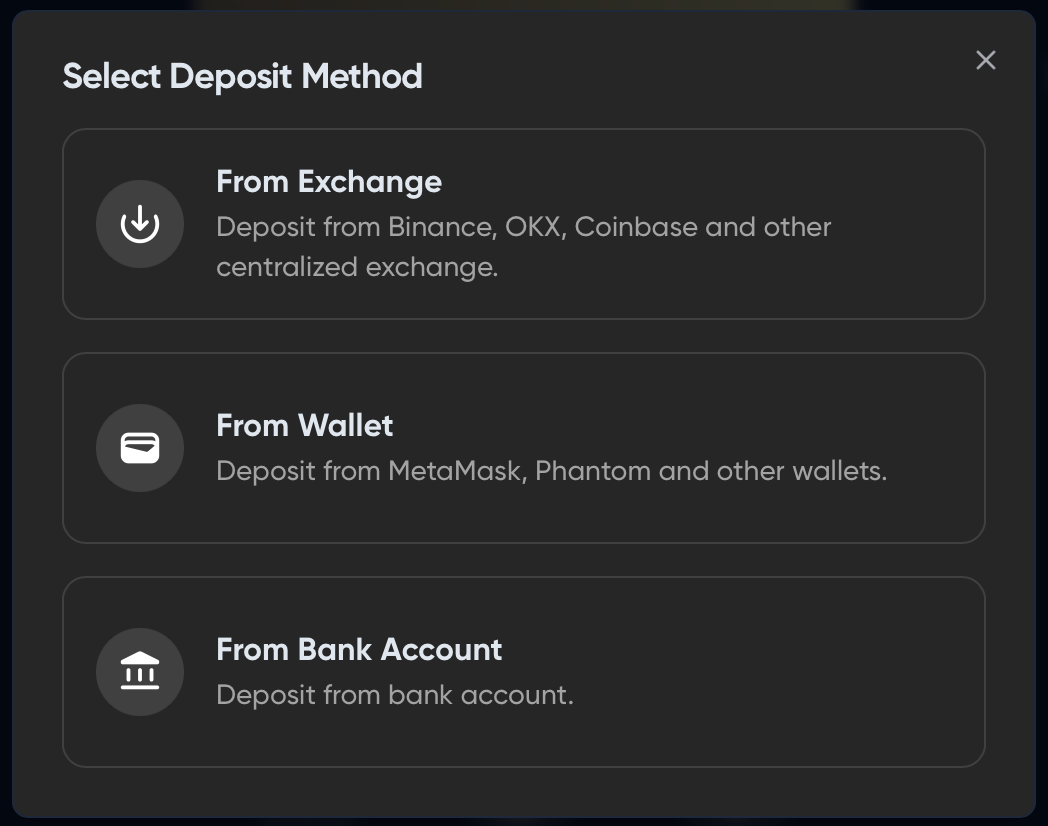
- Select a deposit method, then choose Arbitrum as the network and your token. Send from Arbitrum too: the network you send on has to match the one you picked here.
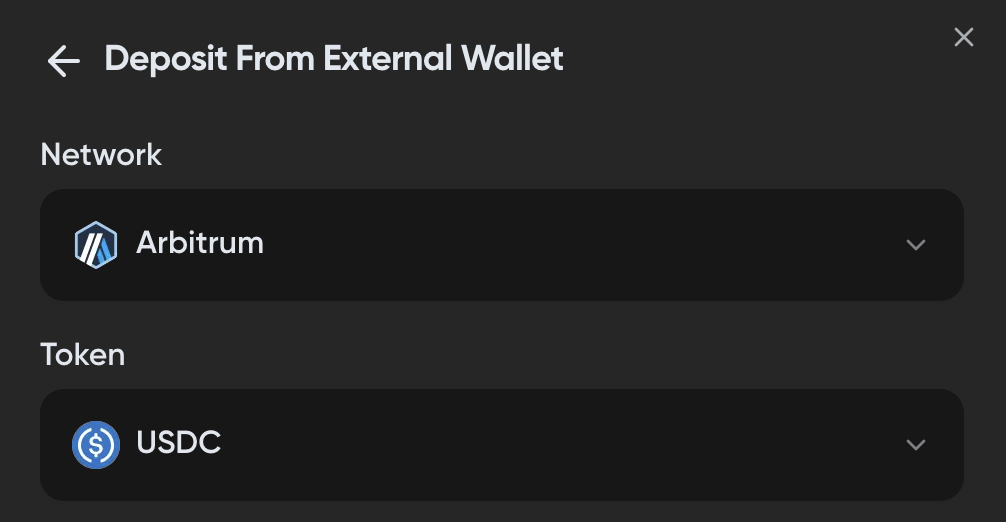
-
Send your token to the deposit address shown. Send a small test amount first, and only send the full amount once it arrives.
-
Your funds show up in the "Assets" tab on the card screen. The first deposit can take a few minutes. If it looks stuck, refresh the page.
Still nothing after a few hours? Contact support with the transaction hash from your wallet so they can trace it.
Related articles:
Card signups reopen in November 2026
Signups for the Based Visa card are paused for now. See what each card tier includes before they reopen.