Deposit From Polygon
Mar 1, 2025·By Jarvis
You can fund your Based card from Polygon with USDC or XSGD. Open Deposit in the Cards tab, pick Polygon as the network, and send your token to the address shown. After that it's spendable like any other card balance.
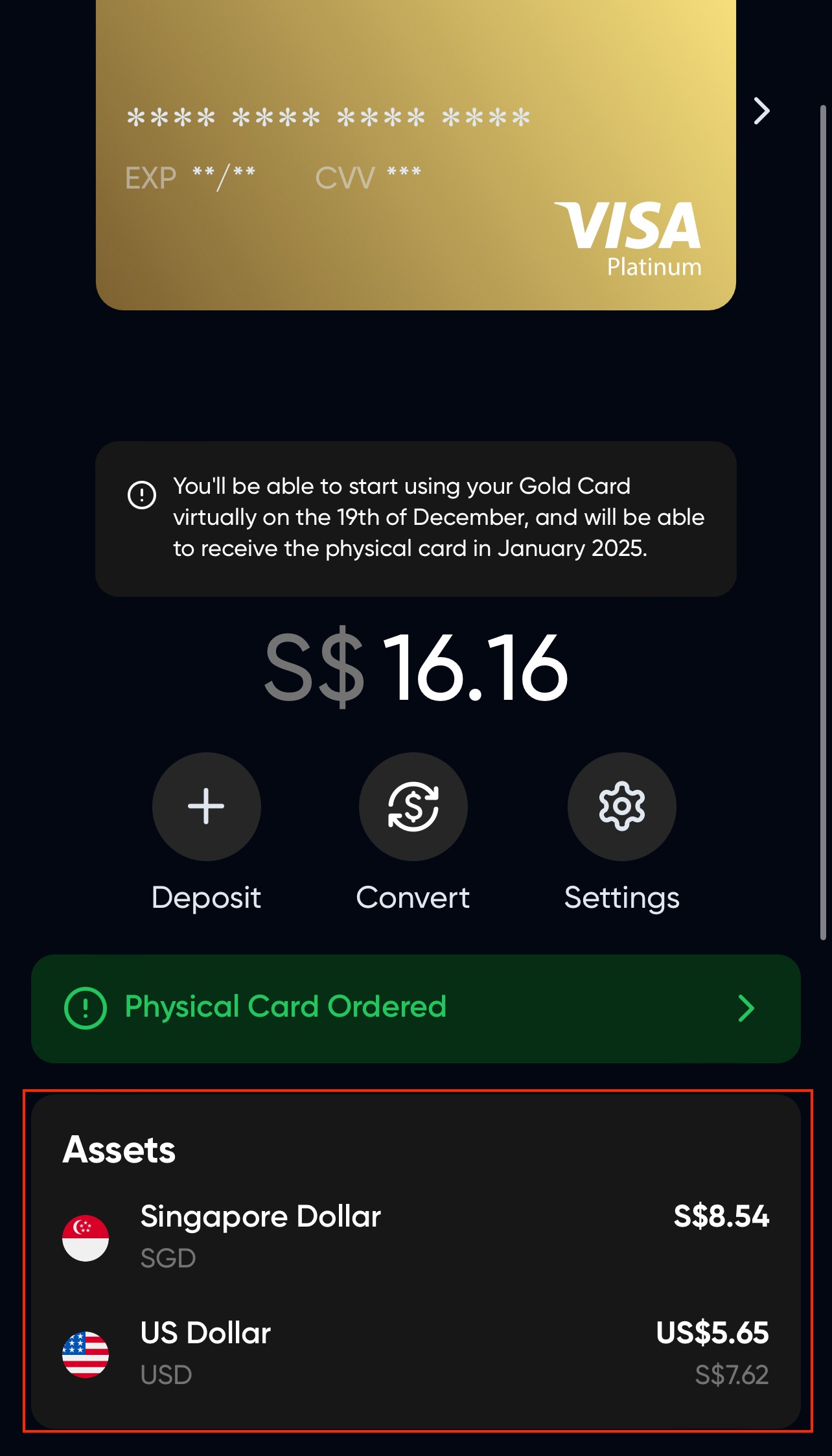
The token you send decides the currency you hold. USDC is stored as USD and XSGD is stored as SGD, and you can swap between the two in the app. If you spend mostly in Singapore dollars, depositing XSGD skips a conversion. For background on the dollar stablecoin, see What is USDC.
Depositing from Polygon
- Navigate to the Cards tab and click on Deposit.
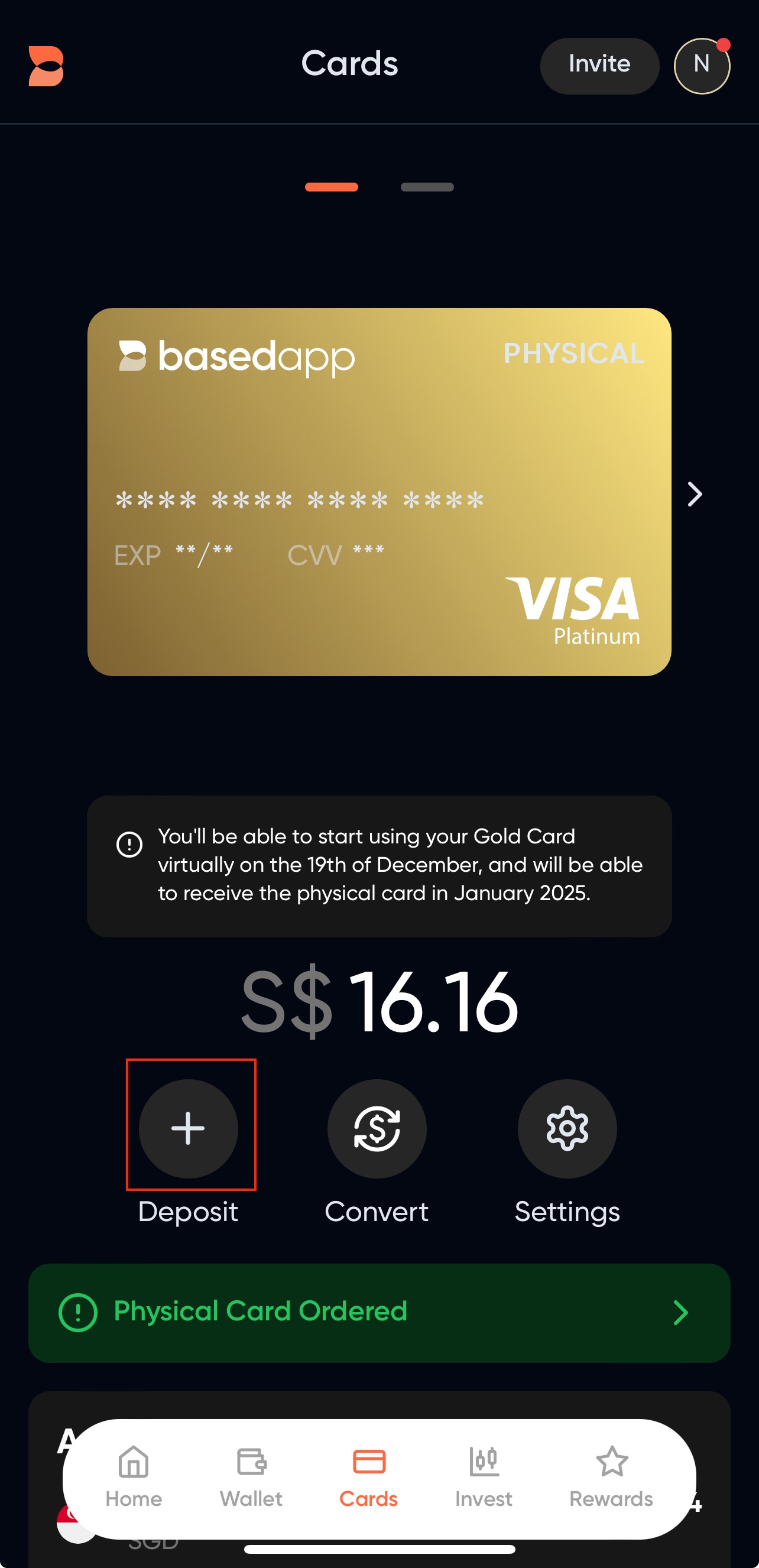
- On the Deposit Modal, select your funding source. ("From Bank Account" may be unavailable depending on where you live.)
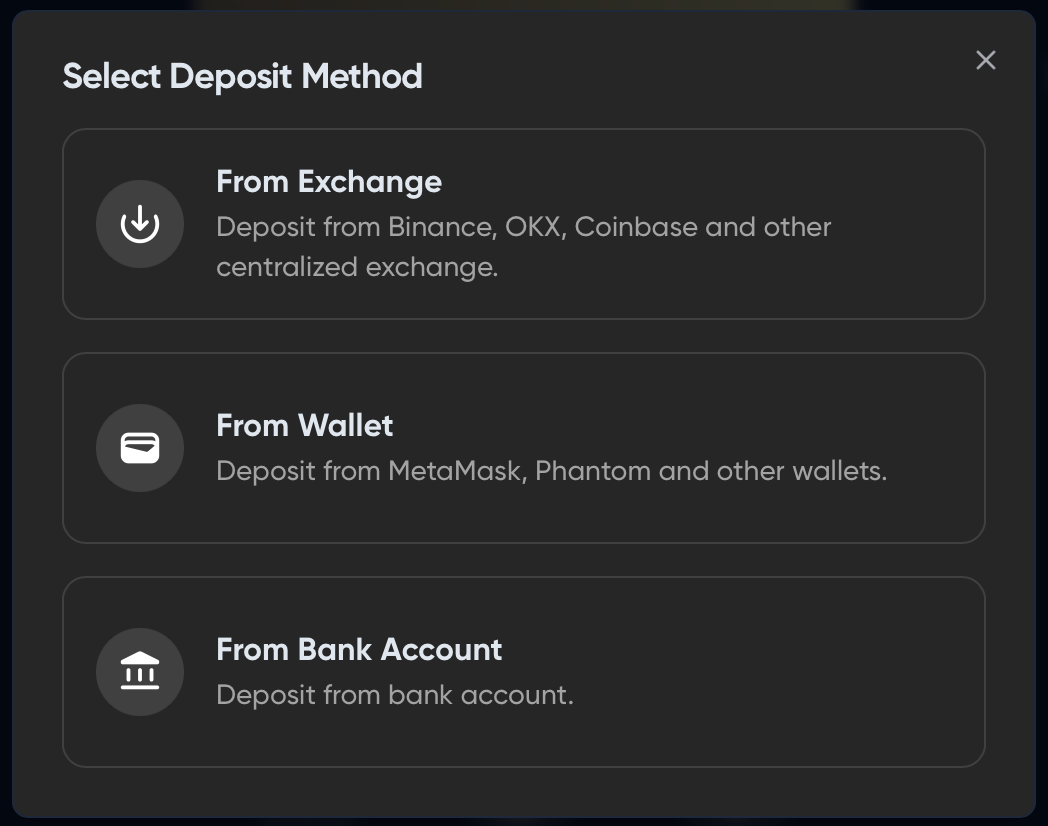
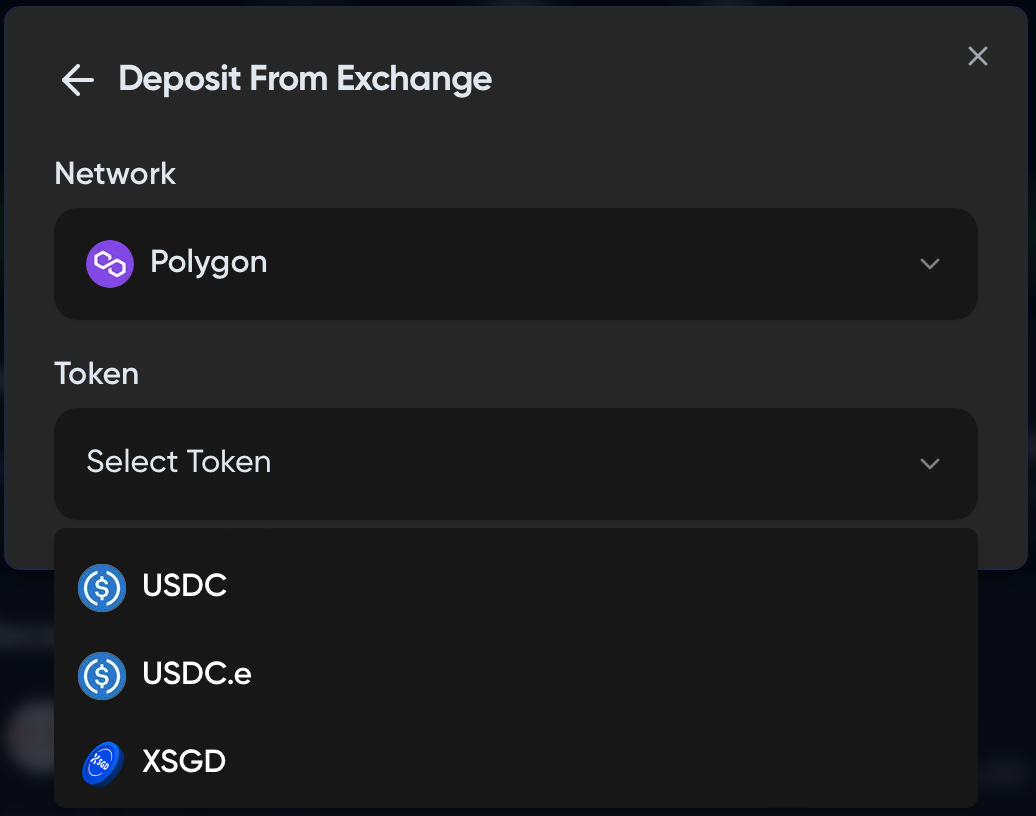
- Select a deposit method, then choose Polygon as the network and your token. Send from Polygon as well, since the network has to match.
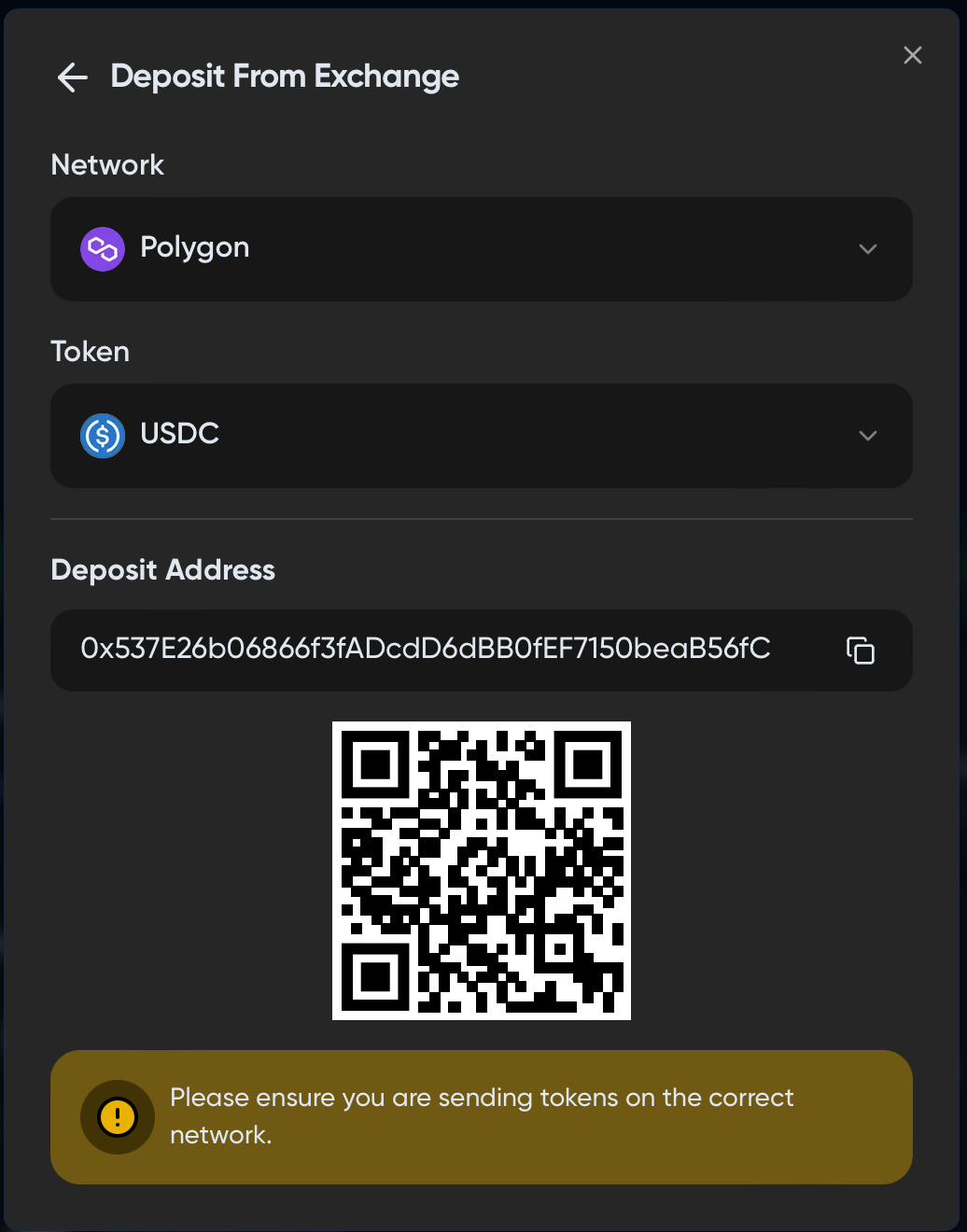
- Send your token to the deposit address shown. Start with a small test transfer and send the rest once it arrives.
- Your funds appear in the "Assets" tab on the card screen. If they don't show right away, reload the screen or switch tabs and come back, which forces the balance to refresh.
Related articles:
Card signups reopen in November 2026
Signups for the Based Visa card are paused for now. See what each card tier includes before they reopen.