Deposit From Solana
Mar 1, 2025·By Jun
To top up your Based card from Solana, open Deposit in the Cards tab, choose Solana as the network, and send USDC or SOL to the address shown. Both work for everyday spending once they land.
They behave differently after that. USDC is stored as USD, so a $100 deposit stays $100. SOL stays as SOL, which means its dollar value moves with the market until you spend or swap it. If you want a predictable spending balance, deposit USDC. What is USDC explains why it holds its value.
Depositing from Solana
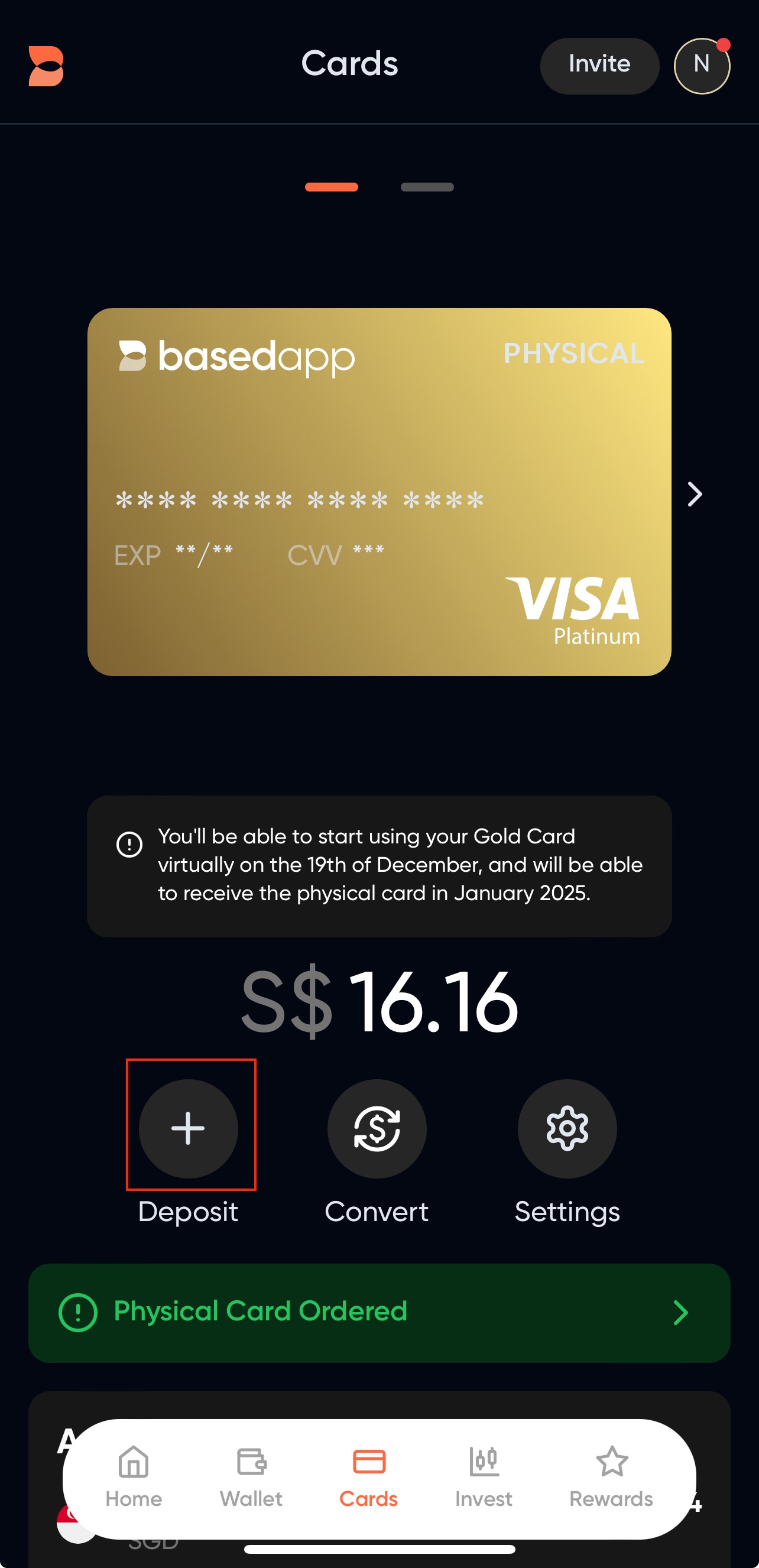
- Navigate to the Cards tab and click on Deposit.
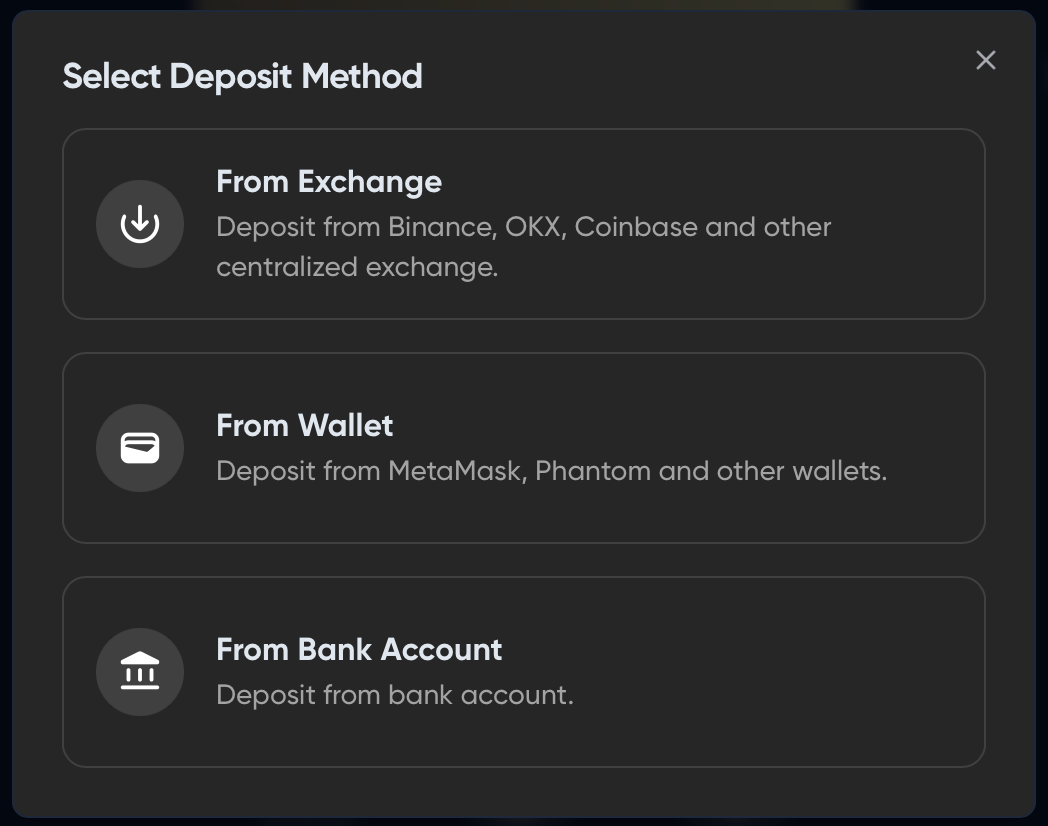
- On the Deposit Modal, select your funding source. ("From Bank Account" may be unavailable depending on where you live.)
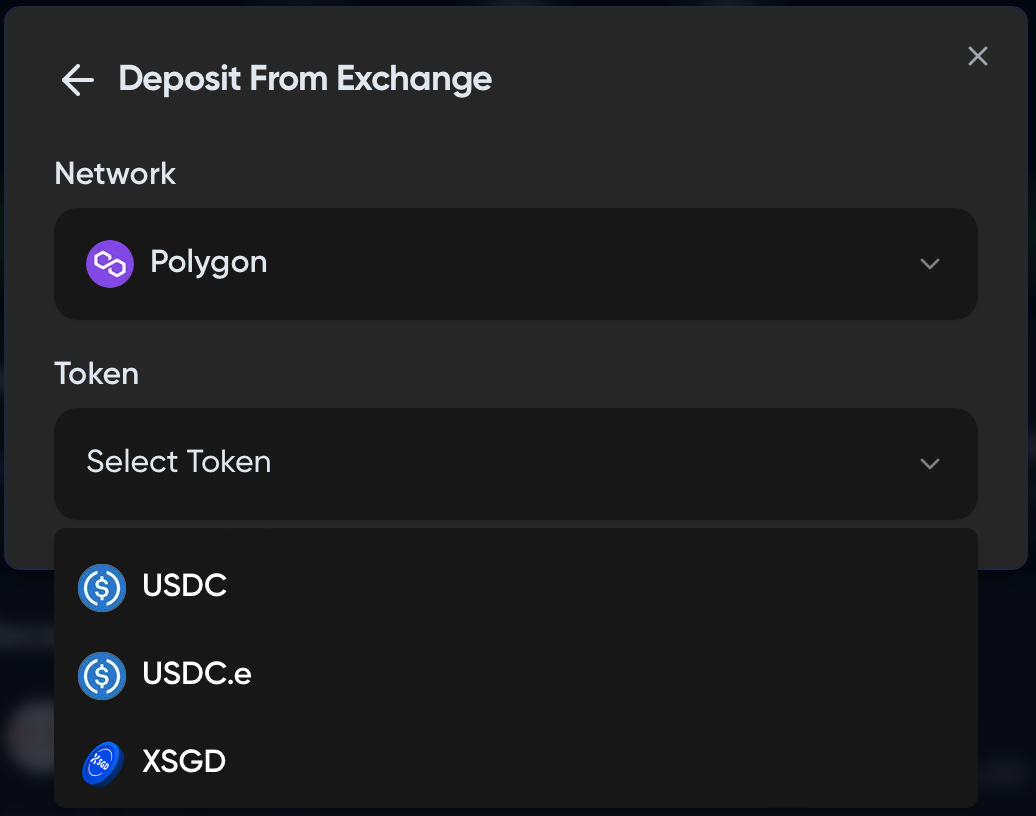
- Select a deposit method, then choose Solana as the network and your token. Send from a Solana wallet: a Solana address won't receive funds sent over another network.
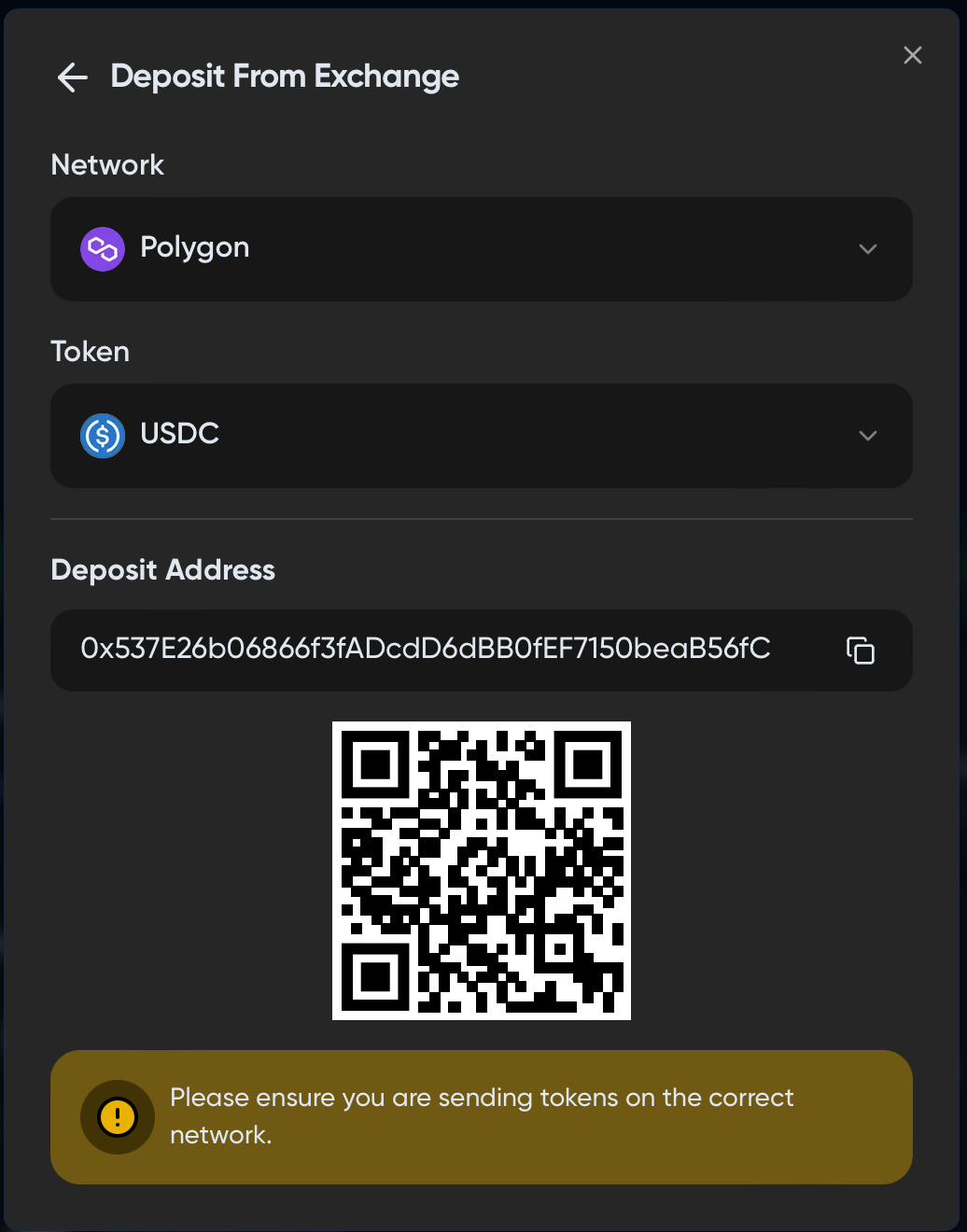
- Send your token to the deposit address shown. Do a small test transfer first.
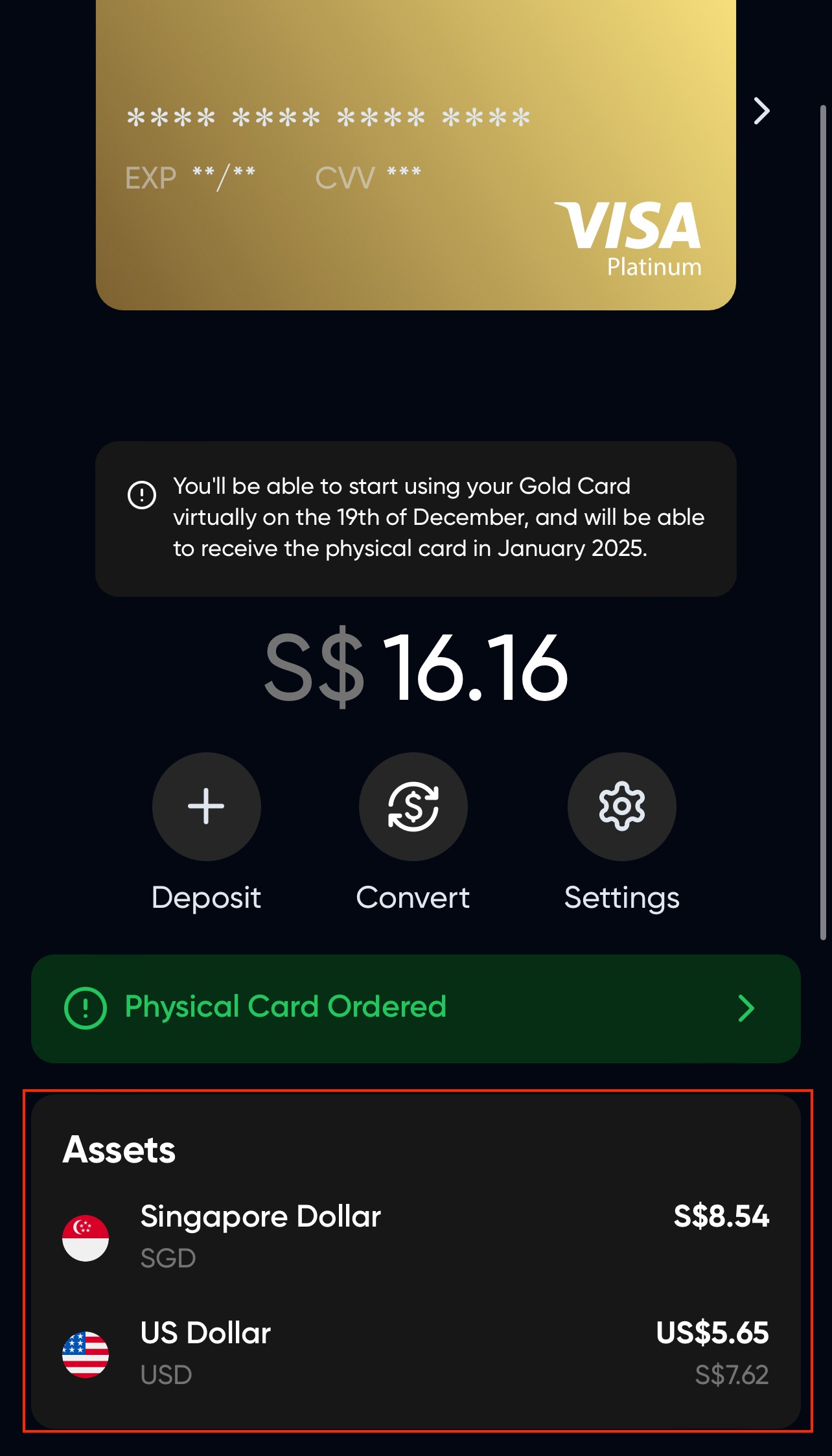
- Your funds appear in the "Assets" tab on the card screen. Not there yet? Reload the screen or switch tabs to force the balance to refresh.
Related articles:
Card signups reopen in November 2026
Signups for the Based Visa card are paused for now. See what each card tier includes before they reopen.